Use case
Real estate listing videos, room by room
Buyers scroll past still photos. A short tour that walks through the home with a voice and the key details on screen gets watched.
Write the tour as you'd give it at the door: the address, then one room a sentence with its best detail. Our AI makes a scene for each, narrates it and captions it; add your listing photos or walkthrough footage in the editor, and a lower third with the price, beds and baths, and your name.
The example, and the script it came from
- Vertical 9:16
- 14 s
- Voice: George
- Captions: clean
This is the whole script that went in. Everything else (the narration, the pictures, the graphics and the captions) our AI made from it.
Welcome to 14 Linden Hollow, a light-filled three-bedroom home on a quiet street. The kitchen opens onto a garden with a lemon tree. Upstairs, the main bedroom looks out over the hills.
The example: 14 Linden Hollow
A 14-second vertical tour narrated by George with clean captions: "Welcome to 14 Linden Hollow, a light-filled three-bedroom home on a quiet street. The kitchen opens onto a garden with a lemon tree. Upstairs, the main bedroom looks out over the hills."
Three sentences, three spaces, each with the one detail a buyer remembers. A longer tour adds a sentence per room.
A listing tour, scene by scene
- 1
Welcome to 14 Linden Hollow, a light-filled three-bedroom home on a quiet street.
The front of the house, morningLower third: address, 3 bed - 2
The kitchen opens onto a garden with a lemon tree.
The kitchen, doors open to the garden - 3
Upstairs, the main bedroom looks out over the hills.
The bedroom window and the view
Use the real photos
For a live listing, the pictures should be the home itself. Upload your listing photos or a phone walkthrough in the editor and lay them over the narration: the camera moves slowly over each photo so it plays like footage. Keep the drawn scenes for mood shots like the street or the neighbourhood.

- 1Chat edits
- 2Timeline
- 3Graphics library
- 4Captions
The details on screen
- A lower third with the address, beds and baths
- A callout on the feature that sells it: the garden, the view, the new kitchen
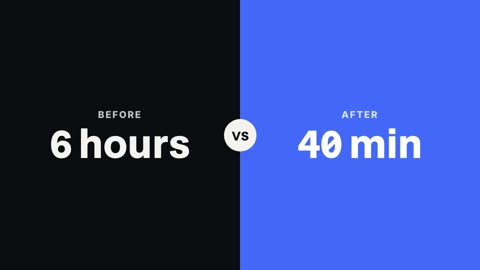
- A comparison for square footage or lot size
- A closing card with the agent's name and how to book a viewing




Where listing videos go
Vertical 9:16 for Reels, TikTok and Stories, where buyers in the area scroll; landscape 16:9 for the listing page and YouTube. Make one, then ask the chat for a copy in the other shape.
Agents with several listings can keep one template: the same voice, caption style, lower third and closing card on every tour, with only the address, rooms and photos changing. A buyer who saw one of your tours will recognise the next.
Questions
Can I use my listing photos?
Yes. Upload them in the editor; each photo gets a slow camera move so the tour plays like video.
How long should a listing video be?
15 to 60 seconds for social; longer tours for the listing page. Write one sentence per room you want to show.
Can I add the price and my contact?
Add a lower third with the price and beds and baths, and an outro card with your name and contact.
Vertical or landscape?
Both. Make one and ask for a copy in the other shape; the text moves into the new frame.
Which plans include it?
Every paid plan: Pro $20 a month, Studio $50, Max $100.
Keep reading
- Lower thirds15 animated lower third templates for interviews, podcasts and explainers. Type the name and role, pick your colour, and render it over your video.
- Product videosTurn a product's story into a launch video: feature cards, the numbers on screen, a narrator and a clean close with the name. Vertical or landscape.
- AI voiceoverNarrate any script in one of 130 AI voices, or your own recording. Speed from 0.8x to 1.25x, and captions that follow every word of the voice.
- Video sizesThe right size for every platform: 1920×1080 for YouTube, 1080×1920 for Shorts, TikTok and Reels. Make one video, then a copy in each shape.
- App demo videosShow how your app works in 30 seconds: your screen recordings cut to the voice, callouts on each feature, captions and a closing card with the name.
- Data videosTurn statistics into a video: counting numbers, bar charts built from your figures, a line graph for the trend and a narrator who makes the point.
Updated 29 October 2026
Make your next video
Upload a video or paste a script, then say the edit. Our AI makes it on a timeline you can still change.
Try for free