Use case
Make product videos that show what it does
A product video has one job: make the thing obvious in under a minute. Write what it does, and our AI builds the scenes around each claim.
Write the product's pitch as a short script, one feature a sentence, and our AI makes the video: a picture of each moment, the specs as graphics (hours, percent, colours), a confident narrator and a closing line with the product's name. Upload your own product shots or footage and edit them in by chat.
The example, and the script it came from
- Landscape 16:9
- 32 s
- Voice: Jessica
- Captions: pop
This is the whole script that went in. Everything else (the narration, the pictures, the graphics and the captions) our AI made from it.
This is Halo, the water bottle that cleans itself. A soft light in the cap clears 99% of germs every two hours, so your water stays fresh all day. It keeps drinks cold for 24 hours, and hot for 12. Three reasons people switch: no more scrubbing, no more plastic bottles, and water that always tastes clean. Halo comes in five colors, and it fits every cup holder. Halo. Fresh water, everywhere you go.
The example: Halo, the bottle that cleans itself
A 32-second landscape promo narrated by Jessica with pop captions. The script names the product, gives the one feature that matters ("A soft light in the cap clears 99% of germs every two hours"), backs it with two numbers (cold for 24 hours, hot for 12), lists three reasons people switch, and closes on "Halo. Fresh water, everywhere you go."
Lumen, the vertical one beside it, does the same in 15 seconds: what it is, what it does in the evening and the morning, one charge lasts 30 days, then the tagline.
The shape of a product video
- 1
This is Halo, the water bottle that cleans itself.
The bottle on a counter, soft lightTitle card - 2
A soft light in the cap clears 99% of germs every two hours,
The cap glowingCount-up: 99% - 3
It keeps drinks cold for 24 hours, and hot for 12.
Ice in the bottleComparison: cold 24 h, hot 12 h - 4
Three reasons people switch:
Someone filling it at a tapList building
Graphics for specs and features
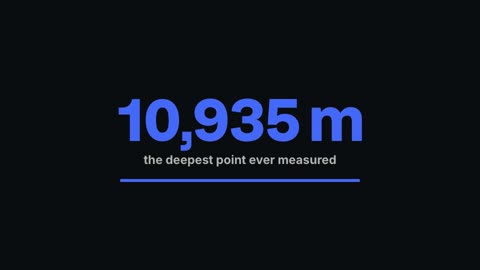
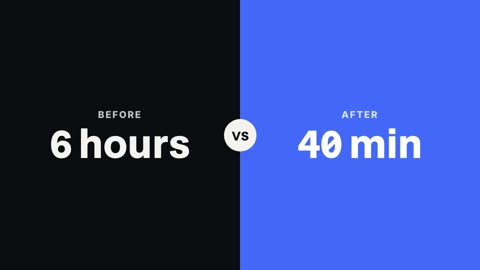
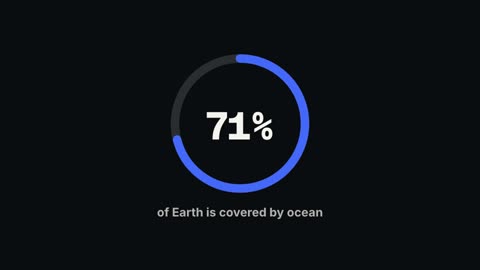
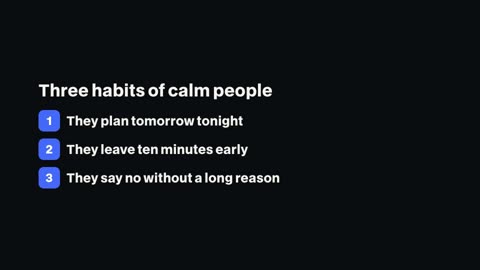
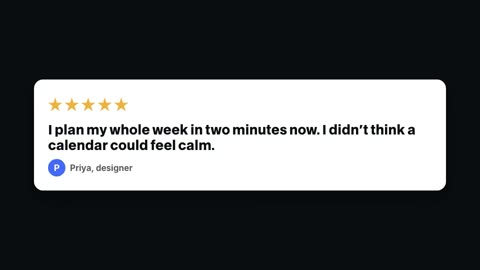
Numbers are where product videos convince. A count-up stat, a comparison of two values, a progress ring for battery life, a numbered list of reasons and a review card for a customer quote are all templates you can add with your own words.

Use your own product footage
If you have shots of the product, drop them into the editor. Ask the chat to cut them to the voiceover, put a callout tag on the feature, and add a lower third with the price. The script video can be opened in the editor too, so you can swap a drawn scene for a real shot.

- 1Chat edits
- 2Timeline
- 3Graphics library
- 4Captions
One video, every placement
- 16:9 for the website and YouTube, 9:16 for Reels, TikTok and Stories, 1:1 or 4:5 for feed ads
- A copy in another shape is one chat request, with the text moved into the new frame
- A/B/C hooks export as separate files for testing openings
Questions
Can I use photos of my product?
Yes. Upload them in the editor and place them on the timeline, or ask the chat to put one over a line of the voiceover.
Can it make an ad for each platform?
Make the video once, then ask for copies in 9:16, 1:1 or 4:5. Each copy keeps your text inside its own frame.
Can I show prices and specs?
Yes. Use the count-up, comparison, list or callout templates with your numbers, or ask the chat to add them.
How long should a product video be?
15 to 45 seconds covers most launches and ads. The examples here are 15 and 32 seconds.
Which plans include it?
Every paid plan: Pro $20 a month, Studio $50, Max $100.
Keep reading
- App demo videosShow how your app works in 30 seconds: your screen recordings cut to the voice, callouts on each feature, captions and a closing card with the name.
- Charts and countersNumber counters that count up, bar chart races, line graphs, progress rings and comparisons. Type the numbers and drop the chart into your video.
- Lower thirds15 animated lower third templates for interviews, podcasts and explainers. Type the name and role, pick your colour, and render it over your video.
- Script to videoPaste a script and our AI makes the video: a voice, a picture and motion graphics for every sentence, word-timed captions, up to 15 minutes long.
- Explainer videosExplain how something works in a minute: a picture for each step, chapter cards, numbers on screen and a calm narrator. Vertical or landscape.
- TikTok videosDrop in your clips and say the edit: cut the pauses, add one-word captions, put a hook on the first second, keep it clear of TikTok's buttons. Then export.
Updated 29 October 2026
Make your next video
Upload a video or paste a script, then say the edit. Our AI makes it on a timeline you can still change.
Try for free