- Editor
- Comparisons
- An InVideo alternative for script videos you can edit
Comparison
An InVideo alternative for script videos you can edit
Both tools start from your idea or script. They differ in where the pictures come from and what you can change afterwards.
InVideo AI is built around stock footage, generative video models and a shot-by-shot storyboard, sold by seat with AI credits. UGCLive Editor draws a still for every sentence, adds motion graphics and captions, and puts it all on a real timeline you can change by chat or by hand.
Side by side
Facts read on InVideo's own pages on 2026-10-29. Plans and prices change; check them before you buy.
| InVideo | UGCLive Editor | |
|---|---|---|
| Starting point | A script or idea, turned into a shot-by-shot storyboard | A script, split into scenes of about four or five seconds each |
| Pictures | Premium stock footage (100 to 500 clips by plan) and AI video models | A still our AI draws for each sentence, with a slow camera move |
| Graphics | Not detailed on its pricing page | Quote cards, charts, lists and chapter cards added where the script calls for them |
| Editing after | Plain-language edit instructions on a multitrack timeline | Chat edits on a real timeline, scene-by-scene editing, or by hand |
| Voices | AI voice generator, text to speech and voice cloning are listed | 130 voices, or your own recorded narration |
| Pricing | Starter $20 a seat monthly, $10 billed yearly; Plus and Max shown with limited-time discounts | Pro $20, Studio $50, Max $100 a month; yearly 30% off |
| How usage is counted | AI credits per seat: 400, 2,000 or 8,000 a month | Minutes of video a month by plan; Max is unlimited, with fair use |
| Seats | Up to 5, 10 or 20 seats by plan | Plans are per account |
| Apps | Web, iOS and Android | Web |
| Length | Not stated on the pricing page | Up to 15 minutes per script video |
Stay with InVideo, or switch?
Stay with InVideo if
- You want real stock footage or generative video clips rather than stills.
- You work as a team and need seats and guest seats.
- You edit on your phone: InVideo has iOS and Android apps.
Switch to UGCLive Editor if
- You want a consistent look across a whole video, one still per line in a style you pick (cinematic, illustrated, 3D, archival, editorial).
- You want charts, quotes and lists to appear on screen without asking.
- You want to keep editing on a full timeline after the first version, with one Undo per request.
Where the pictures come from
InVideo leans on stock clips and generative video. That suits a travel montage; it can drift when the script talks about something specific, like a 1977 radio signal or Roman concrete.
Our AI writes a picture prompt for each sentence and draws it in the look you chose, so the picture matches the line. Faces, planets and products that come out wrong can be redrawn per scene.
- 1
In 1977 a radio telescope in Ohio heard something it couldn't explain.
A big ear radio telescope at dusk, archival grain - 2
The astronomer circled the printout in red and wrote one word.
A paper printout of numbers, a red circleBig word: Wow! - 3
It lasted 72 seconds and never came back.
Empty night sky over the dishCount-up: 72 s
Graphics that come with the script
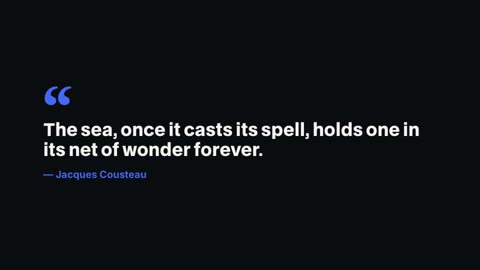
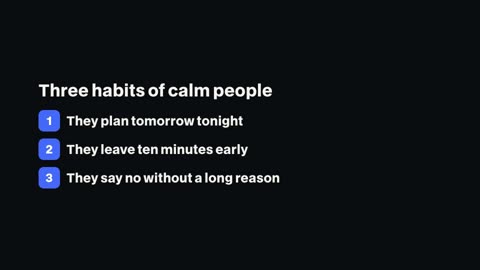
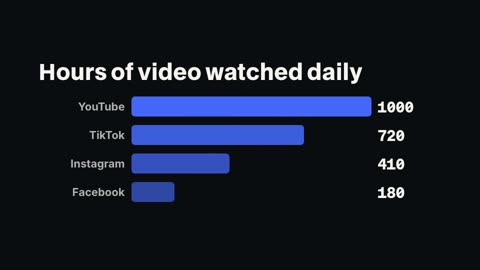
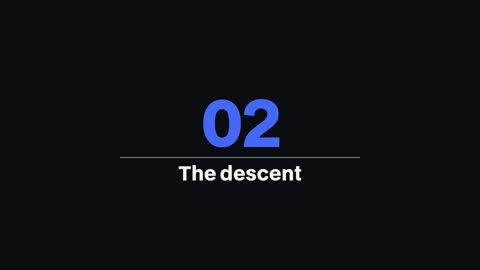
When a line is a quotation it becomes a quote card; a list of three or more short things becomes a list that builds; "Label: number" pairs become a bar chart. You can change each one in the scene editor or the Graphics panel.

Long-form faceless videos
Documentary-style videos made from pasted scripts, each with its own look.
After the first version
Open the video in the full editor and keep going: retype a scene and only that scene is voiced again, swap a picture, move a graphic, or ask the chat for a new hook. Render again when you're done.

- 1Chat edits
- 2Timeline
- 3Graphics library
- 4Captions
Questions
How much is InVideo?
On 2026-10-29 its pricing page showed Starter at $20 a seat a month, or $10 billed yearly, with Plus and Max shown at limited-time discounts. Plans are counted in AI credits per seat.
Does UGCLive Editor use stock footage?
No. Every picture in a script video is a still our AI draws for that sentence, in the look you pick. You can upload your own footage or pictures for any scene.
Can I use my own voice?
Yes. Upload your narration and our AI transcribes it and cuts it per scene, or pick one of 130 voices.
How long can a video be?
Up to 15 minutes per script video, in 1080×1920 for Shorts or 1920×1080 for YouTube.
Keep reading
- Pictory vs UGCLive EditorPictory builds script videos from Storyblocks and Getty stock. UGCLive Editor draws a picture for each line, adds motion graphics, and lets you edit by chat.
- Synthesia vs UGCLive EditorSynthesia makes avatar presenter videos for training and business. UGCLive Editor makes faceless narrated videos with a picture for every line. Which fits?
- Script to videoPaste a script and our AI makes the video: a voice, a picture and motion graphics for every sentence, word-timed captions, up to 15 minutes long.
- Faceless YouTube videosWrite the narration and our AI makes the faceless video: a picture for every line, a narrator's voice, motion graphics and captions, up to 15 minutes.
- Kapwing vs UGCLive EditorKapwing is a browser editor with AI tools you run one at a time. UGCLive Editor edits from one chat message and makes whole videos from a script.
Updated 29 October 2026
Make your next video
Upload a video or paste a script, then say the edit. Our AI makes it on a timeline you can still change.
Try for free