Use case
App demo videos with callouts and clear steps
A demo should answer one question fast: what does it do for me? Show the action, name the benefit, move on.
For an app demo, write one feature a sentence, record or upload the screens that show each one, and edit them by chat: cut the waiting, zoom into the button that matters, put a callout on it and caption every word. Or paste the pitch alone and our AI makes a demo-style video from it, like the gallery's 14-second Tempo tour.
The example, and the script it came from
- Landscape 16:9
- 14 s
- Voice: Sarah
- Captions: pop
This is the whole script that went in. Everything else (the narration, the pictures, the graphics and the captions) our AI made from it.
Plan your whole week in thirty seconds. Drag your tasks onto the calendar, and Tempo finds the time for each one. Meetings move? Tempo moves your work around them, automatically.
The example: Tempo plans your week
A 14-second landscape demo narrated by Sarah with pop captions. The script: "Plan your whole week in thirty seconds. Drag your tasks onto the calendar, and Tempo finds the time for each one. Meetings move? Tempo moves your work around them, automatically."
It opens on the promise, shows the one action, and answers the obvious objection in the last line.
Editing screen recordings
Screen recordings are mostly waiting. Tell the chat which stretches to drop and where to zoom, and everything after moves up.
- Cut 0:04-0:10 (6 s)
- Zoomed in at 0:06-0:09
- Added a callout tag: "one tap" at 0:06
Callouts, lower thirds and titles
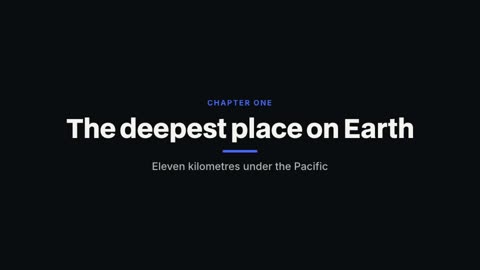
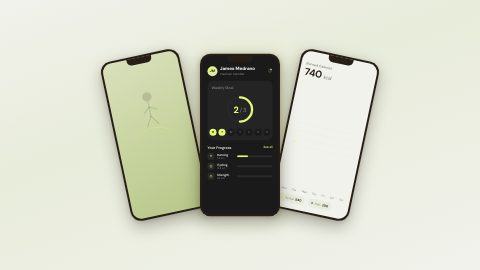
Point at the feature with a callout tag, name each section with a title card, and close with an outro that has the app's name and where to get it. HyperFrames' library adds device mock-ups and app showcase pieces.


What a good demo has
- The outcome in the first sentence, before any steps
- One feature per scene, shown, not listed
- The real interface, zoomed so a phone screen can read it
- Captions for every word, since most demos autoplay muted
- Under a minute for social and ads; longer walkthroughs for onboarding and YouTube
Formats for launch day
Landscape 16:9 for the website, the App Store preview's companion and YouTube; vertical 9:16 for TikTok and Reels; square for feed ads. Ask the chat for each copy once the main cut is done.

- 1Chat edits
- 2Timeline
- 3Graphics library
- 4Captions
Questions
Can I upload screen recordings?
Yes. Upload them in the editor and cut, zoom and caption them by chat or by hand.
Can it zoom into part of the screen?
Yes. Ask for a zoom at a moment, or set the framing on the clip yourself.
Do I need a voiceover?
It helps. Record your own, or write the lines and have one of 130 AI voices read them.
How long should an app demo be?
15 to 60 seconds for social and ads. The example here is 14 seconds.
Which plans include it?
Every paid plan: Pro $20 a month, Studio $50, Max $100.
Keep reading
- Product videosTurn a product's story into a launch video: feature cards, the numbers on screen, a narrator and a clean close with the name. Vertical or landscape.
- Code animationsCode typing, diffs, highlight sweeps, scroll-to-line, morphing refactors and terminal snippets, animated for developer tutorials, launches and dev YouTube.
- Chat editingType the edit in plain words: cut the pauses, add captions, swap the music, add a lower third. Our AI makes it on a real timeline, with one Undo.
- AI voiceoverNarrate any script in one of 130 AI voices, or your own recording. Speed from 0.8x to 1.25x, and captions that follow every word of the voice.
- Mystery videosTell an unsolved story the way mystery channels do: a low narrator, one eerie picture per beat, slow camera moves and captions that land each line.
- Real estate videosMake a listing video in minutes: the address, each room with its best detail, the price and contact on screen, narrated. Use your listing photos or footage.
Updated 29 October 2026
Make your next video
Upload a video or paste a script, then say the edit. Our AI makes it on a timeline you can still change.
Try for free