- Editor
- Video editing guides
- What is a lower third?
Guide
What is a lower third?
The small graphic that tells viewers who is talking, without stopping the video.
A lower third is a text graphic placed in the lower part of the frame, usually showing a person's name and role, a place, or a short fact. The name comes from where it sits: in the bottom third of the screen, so it doesn't cover a speaker's face. TV news made it standard; YouTube, interviews, podcasts and ads use it the same way.
Where the name comes from
Split the frame into three horizontal bands. Faces and the main action sit in the top two; the bottom band is mostly floor, desk or shoulders. That's where broadcast designers put text, so it reads without hiding anything important.
It's a placement, not a strict measurement. A lower third may sit a little higher on a vertical video so the app's own buttons and captions don't cover it.
| Band | What usually goes there |
|---|---|
| Top third | Headroom, titles, a logo bug |
| Middle third | Faces, eyes, the product |
| Lower third | Names, roles, places, short facts |
What lower thirds are used for
The rule of thumb: if a viewer would ask "who is that?" or "where is this?", a lower third answers before they do. It's the cheapest way to make a talking video feel produced.
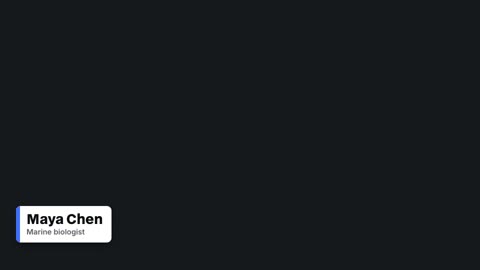
- Who is speaking: "Maya Chen, marine biologist"
- Where we are: a city, an address, a venue
- A source or credit for a clip or a quote
- A social handle so viewers can find the person
- A one-line fact that supports what's being said
Common lower third styles
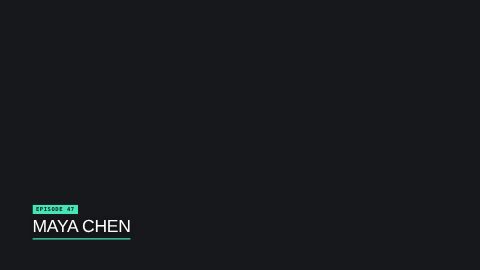
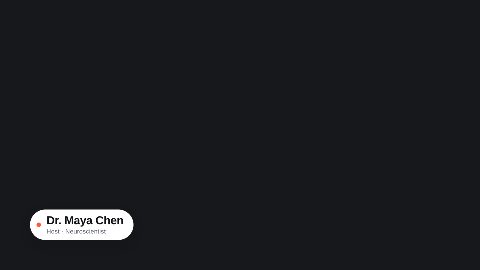
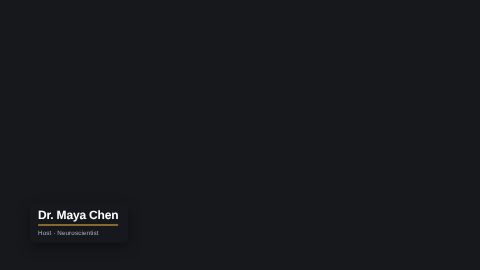
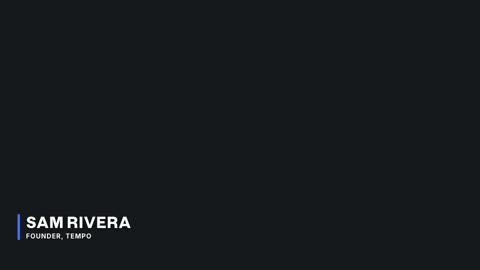
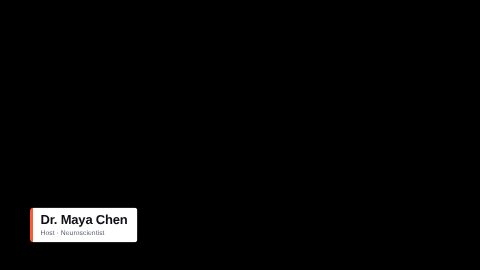
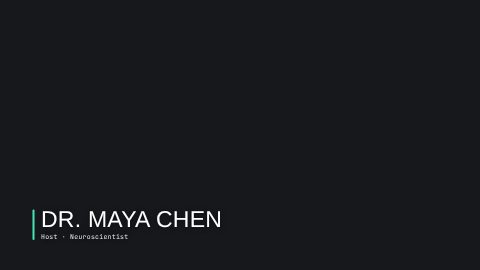
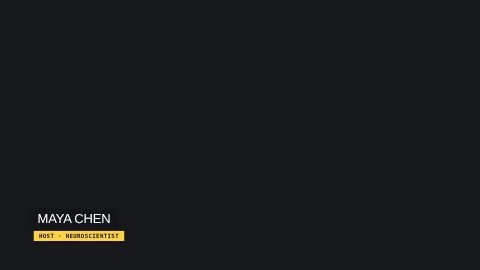
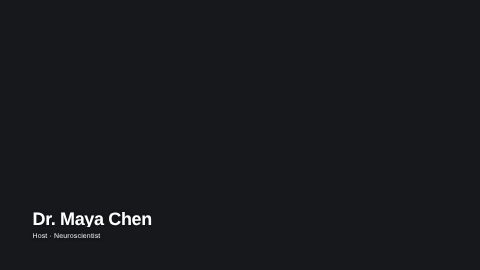
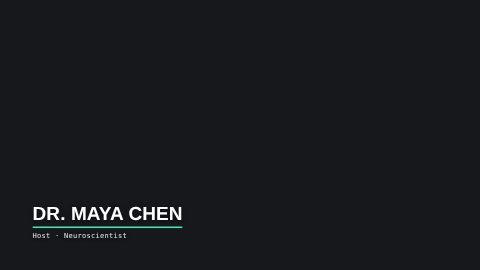
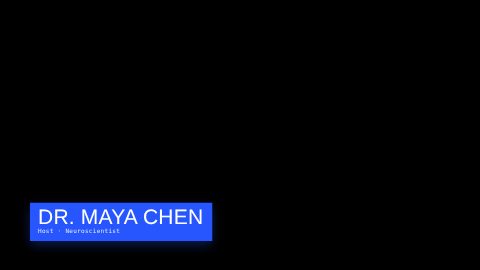
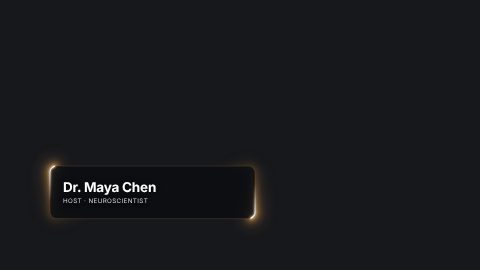
Most lower thirds are one of a handful of shapes: a solid bar behind the text, a card with rounded corners, a thin rule beside the name, or plain text with a small accent underline. Then there's motion: a slide in, a mask reveal, a typed-on line.
Clean and quiet beats loud. A plain bar in your brand color, held still, reads faster than a spinning neon frame. Save the bold styles for a channel whose whole look is bold.
How long a lower third should stay on screen
Long enough to read twice. For a name and a role, that's about four to six seconds. Shorter and people miss it; longer and it starts to feel like a sticker.
Show it the first time a person speaks, not every time. In a long interview you can bring it back once after a cut to a new scene.
- 1
In
Animate in over about half a second
- 2
Hold
4 to 6 seconds for a name and a role
- 3
Out
Leave before the next cut or idea
Lower thirds on vertical video
On TikTok, Reels and Shorts the bottom of the screen is crowded: the caption, the username, the music line and the buttons. Put the lower third higher than you would on a 16:9 video, above the captions' band.
Keep it short too. A vertical frame is about 1080 pixels wide, so a long role line wraps or shrinks. "Founder, Tempo" beats "Co-founder and Chief Executive Officer of Tempo Labs".
How to add a lower third in UGCLive Editor
Open the Graphics panel and pick Lower thirds, or just ask the chat: "add a lower third with my name". You type the name and the role, it takes your video's accent color and font, and it lands over the footage at the playhead.
Our two lower thirds sit beside the dozen in HyperFrames' library, from a clean bar to a mask reveal. Each is a real graphic on the timeline: move it, trim it, change the words and render it again, or swap the template and keep the words.
- Added a lower third at 0:02: Maya Chen, Marine biologist
- Used the video's blue accent and its font
- Held it for 5 seconds over the first clip
Mistakes that make lower thirds hard to read
Fix most of them with one rule: a solid or semi-solid shape behind the text, in one style, for the whole video. Consistency is what makes a show look produced.
- Text smaller than the captions, so it reads as an afterthought
- Low contrast: white text on a bright sky with no bar behind it
- Two long lines that wrap on a phone
- A different style for every speaker in the same video
- Animation so slow the name is gone before it settles
Questions
What does lower third mean in video?
It's the on-screen text in the bottom part of the frame that names a speaker, a place or a fact. It's named after the bottom third of the frame, where it sits.
What should a lower third include?
Usually a name on the first line and a role, company or handle on the second. Two short lines are about as much as people read at a glance.
Is a lower third the same as a caption?
No. Captions show what's being said, word for word, and change all the time. A lower third shows a fixed fact, like who is talking, for a few seconds.
Can I make a lower third without After Effects?
Yes. In UGCLive Editor you pick a lower third template in the Graphics panel or ask the chat for one, type the words, and it renders and lands on your timeline.
Where do I find lower third templates?
Our lower thirds templates page shows every one we have, from a plain bar to animated reveals, each editable without design software.
Keep reading
- Lower thirds15 animated lower third templates for interviews, podcasts and explainers. Type the name and role, pick your colour, and render it over your video.
- YouTube outros and introsAnimated YouTube outros, logo intros, follow cards and subscribe calls to action. Type your channel name and add the ending to any video.
- Podcast clipsCut the best minute of an episode into a vertical clip: the dead air removed, captions word by word, the guest's name in a lower third, ready to post.
- Chat editingType the edit in plain words: cut the pauses, add captions, swap the music, add a lower third. Our AI makes it on a real timeline, with one Undo.
- Making YouTube ShortsMake a YouTube Short from idea to upload: the size, the length, a hook in the first second, captions, and how to make one from a script without filming.
- Faceless channel ideasFifteen faceless YouTube channel ideas, each with what the videos look like, a sample opening line and a finished example video you can copy.
Updated 29 October 2026
Make your next video
Upload a video or paste a script, then say the edit. Our AI makes it on a timeline you can still change.
Try for free