
Ours
Lower third
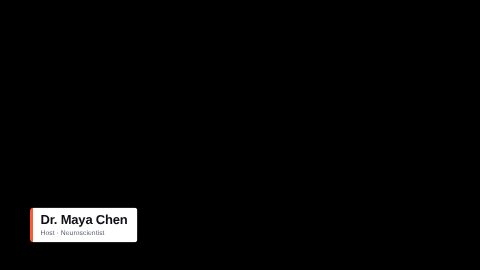
A name and a role on a clean card with an accent tab.
16:9 · 4 s · You change: name, roleTemplates
A name and a role that slide in over the footage, then get out of the way.
A lower third is the caption bar in the bottom third of the frame that says who is speaking. Each template here animates in, holds, and animates out; you type the name and role, it takes your video's accent colour and font, and it renders as a transparent overlay on top of your clip.


Open Graphics in the editor to change any of them, see it play, and render it into your video.
A name and a role on a clean card with an accent tab.
16:9 · 4 s · You change: name, role
A vertical accent rule beside a bold name and its role, for bright footage too.
16:9 · 4 s · You change: name, role
A pill with a label and a line, for a tip, a price or a warning.
16:9 · 3 s · You change: tag, textMinimal white-card lower third for podcasts/interviews: accent tab, name + role, clip-wipe entrance
16:9 · 5 s · You change: name, role
Charcoal card lower third for bright footage: name, drawn accent underline, role; slide-up entrance
16:9 · 5 s · You change: name, roleCardless lower third with an accent eyebrow/kicker tag, heavy name, and a drawn baseline; for footage
16:9 · 5 s · You change: kicker, nameRounded white pill lower third for podcasts/interviews: status dot, name + role, scale-pop entrance
16:9 · 5 s · You change: name, role
Cardless lower third with a vertical accent bar; condensed display name + mono role, text-shadowed for footage
16:9 · 5 s · You change: name, role
Cardless lower third for footage overlay: name rises, an accent rule draws left-to-right, role fades in; text-shadowed for legibility
16:9 · 5 s · You change: name, role
High-energy podcast lower third: solid dark block wipes in, uppercase name slams up, accent tag pops
16:9 · 5 s · You change: name, tag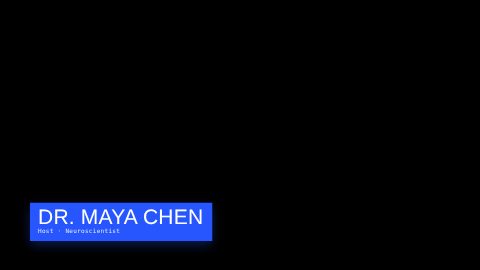
High-energy lower third: bold accent-color block slides in with overshoot, condensed name + mono role
16:9 · 5 s · You change: name, role
Cardless lower third: an accent sweep crosses and clip-path-reveals a heavy name, role fades up; for footage
16:9 · 5 s · You change: name, role
Two stacked bars: a dark name bar wipes from the left, an accent role bar wipes from the right
16:9 · 5 s · You change: name, role
News-style lower third with tight-fit text boxes: white headline bar with red drop-shadow, red sub-line with white drop-shadow.
16:9 · 8 s · You change: txt_main_1_line, txt_sub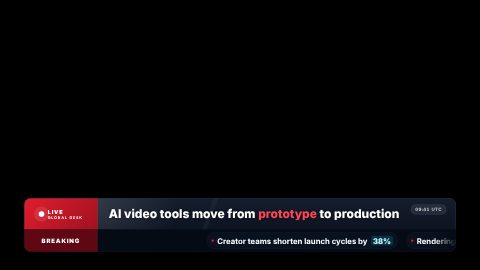
Premium broadcast-style lower-third ticker with live label, headline ribbon, and scrolling news crawl.
16:9 · 7 s · You change: time, label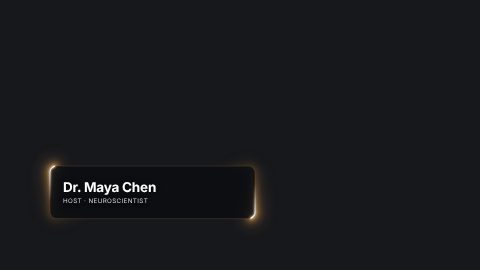
Two arcs of light travel the edge of a rounded panel and snap corner to corner, trailing a soft three-layer bloom. A lower third for a name and role.
16:9 · 5 s · You change: name, role, accent, movement…Blocks marked Ours are UGCLive's. The rest are from HeyGen's open-source HyperFrames registry (Apache-2.0, commit 1c3fcf4), with their authors' descriptions.
Bright, busy footage needs a solid card so the name stays readable: the clean bar, the dark card or the color block. Calm interview shots can carry a lighter touch, like the side rule or the accent underline, which leave most of the picture showing.
News and documentary edits often want a kicker line above the name (the kicker name) or a ticker running along the bottom. Podcasts filmed on two cameras usually use the same lower third for both hosts, with a different role line.
In the editor's tools rail, open Graphics and search "lower third".
The name and the role go into the template's text slots. Your accent and font are already set.
It renders on our servers as a transparent overlay and lands over the clip at the playhead.
Drag it on the timeline. Select it and press Edit graphic to change the words; it renders again in place.
Most broadcast lower thirds are drawn for a 16:9 frame. In a 9:16 Short the editor places a 16:9 lower third across the width of the frame, above the captions' band, so it never sits under TikTok's or YouTube's buttons and never covers the subtitles.
Keep the role line short on phones: three or four words read at a glance, a full job title does not.
You don't have to find the template yourself. Tell our AI who is on screen and when, and it adds the lower third, renders it and puts it in place, listed as one change you can undo.
The text graphic in the lower part of the frame that names the person speaking, their role, or a place. It comes from TV news, where it fills roughly the bottom third of the screen.
Yes. A new lower third takes your video's accent colour and font, and you can change both, along with the words and how long it stays on screen, before or after it's rendered.
Yes. Lower thirds render as an overlay with a clear background, so the footage shows around them.
That's what most of them are for: ten of them are tagged for podcast and interview edits, with a name line and a role line.
Updated 29 October 2026
Upload a video or paste a script, then say the edit. Our AI makes it on a timeline you can still change.
Try for free