Use case
Explainer videos, step by step, from your script
Explainers work when each step gets its own picture. Write the steps in order and our AI shows them one at a time.
An explainer walks through how something works, one step at a time. Write the steps as sentences and our AI makes a scene for each, with chapter cards for the parts, counting numbers for the facts and captions for every word. The gallery's explainers run from 14 seconds (noise-cancelling headphones) to 37 (what happens when you sleep).
The example, and the script it came from
- Vertical 9:16
- 37 s
- Voice: Lily
- Captions: karaoke
This is the whole script that went in. Everything else (the narration, the pictures, the graphics and the captions) our AI made from it.
Every night, your brain runs a cleaning shift. Chapter one: falling asleep. Your heart slows, and your body temperature drops about one degree. Chapter two: deep sleep. Fluid washes through the brain and clears away the day's waste. Chapter three: dreams. Memories from the day are sorted, kept, or let go. A full night runs through four to six of these cycles, about ninety minutes each. So tonight, you're not switching off. You're tidying up.
The example: what happens when you sleep
A 37-second vertical explainer narrated by Lily with karaoke captions. It opens on "Every night, your brain runs a cleaning shift," then goes through three chapters (falling asleep, deep sleep, dreams), each with its own chapter card, and closes on "So tonight, you're not switching off. You're tidying up."
The chapters came from the script itself: lines that start "Chapter one:" become chapter titles on screen.
Steps, as scenes
The lightning explainer is landscape, 20 seconds, narrated by Daniel: four sentences, four pictures, one cause at a time.
- 1
Every bolt of lightning starts with ice.
A storm cloud from belowBig word: ice - 2
Inside a storm cloud, ice crystals and soft hail smash into each other again and again.
Ice crystals colliding - 3
Those collisions split the charge: positive at the top, negative at the bottom.
A cloud, charges marked - 4
For a split second, the channel of air is five times hotter than the surface of the Sun.
A bolt, closeCount-up: 5x
What makes an explainer clear
- One step a sentence, in the order it happens
- A chapter card when the topic changes, so the viewer knows where they are
- Numbers in digits so they count up on screen
- A calm voice at 0.9x to 1x; explainers aren't a race
- Clean or karaoke captions, which suit a lesson better than one big word at a time
Diagrams and titles from the templates
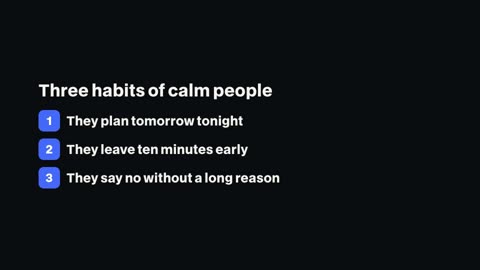
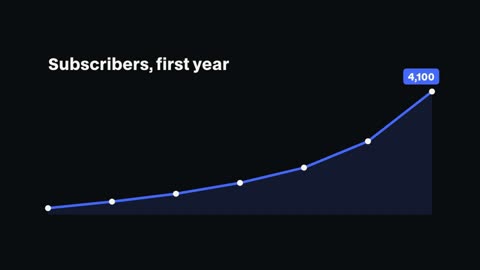
Add a title card for the question you're answering, a numbered list for the steps, a line graph for a trend or a callout pointing at a detail. Each takes your words and the video's colours.


Course lessons too
The same build works for lessons. The gallery's rule-of-thirds lesson opens with "Lesson two: the rule of thirds," and walks through the grid in three sentences. Make a lesson per video and keep the look and voice the same across the course.
Questions
How long should an explainer be?
As long as the steps need. Short social explainers run 15 to 60 seconds; YouTube explainers can go to 15 minutes in one video.
Can it add chapter titles?
Yes. Start a line with "Chapter one:" or similar and it becomes a chapter card, or add the chapter template yourself.
Can I show a diagram?
Our AI draws a picture for each step in the look you pick. For data, use the chart and count-up templates; for a detail, a callout.
Vertical or landscape?
Either: 1080×1920 for Shorts, TikTok and Reels, 1920×1080 for YouTube and websites.
Which plans include it?
Every paid plan: Pro $20 a month, Studio $50, Max $100.
Keep reading
- Script to videoPaste a script and our AI makes the video: a voice, a picture and motion graphics for every sentence, word-timed captions, up to 15 minutes long.
- Data videosTurn statistics into a video: counting numbers, bar charts built from your figures, a line graph for the trend and a narrator who makes the point.
- Text animationsAnimated titles, kinetic words, typewriter text, handwritten titles and chapter cards. Type your words and render them into your video.
- YouTube script templateA fill-in YouTube script template for long videos and Shorts: the hook, the promise, chapters, the payoff and the close, with real examples of each part.
- Podcast clipsCut the best minute of an episode into a vertical clip: the dead air removed, captions word by word, the guest's name in a lower third, ready to post.
- Product videosTurn a product's story into a launch video: feature cards, the numbers on screen, a narrator and a clean close with the name. Vertical or landscape.
Updated 29 October 2026
Make your next video
Upload a video or paste a script, then say the edit. Our AI makes it on a timeline you can still change.
Try for free