- Editor
- Comparisons
- A ChatCut alternative with script videos built in
Comparison
A ChatCut alternative with script videos built in
ChatCut and UGCLive Editor are the same kind of tool: you say the edit and an AI makes it on a timeline. Here's where they differ.
ChatCut has a free plan, desktop apps, 100+ ready-made skills and XML export to Resolve, Premiere, Final Cut and CapCut. UGCLive Editor adds a full script-to-video pipeline (narration, a picture per line, graphics, captions), a 156-block motion graphics library and a posting calendar, on paid plans only.

- 1Chat edits
- 2Timeline
- 3Graphics library
- 4Captions
Side by side
Facts read on ChatCut's own pages on 2026-10-29. Plans and prices change; check them before you buy.
| ChatCut | UGCLive Editor | |
|---|---|---|
| Editing model | Chat with an agent; edits land on a multi-track timeline | Chat with our AI; edits land on a real timeline, one Undo per request |
| Ready-made actions | 100+ skills, such as speech cleanup, captions and long video to shorts | Cuts, pauses and fillers, captions, hooks, B-roll and AI shots, voices, translate and dub, motion graphics |
| Script to video | Not described on its home page | Paste a script: narration, a picture for each sentence, graphics, captions, up to 15 minutes |
| Motion graphics | AI motion graphics, generated and editable | 156 templates (19 ours, 137 HyperFrames) edited as words, plus the chat's add_graphic |
| Captions | Auto captions you can restyle and retype | Word-timed captions: Highlight, Karaoke, One word, Tag and Plain |
| Hand-off to other editors | XML export to DaVinci Resolve, CapCut, Premiere and Final Cut Pro | MP4 export; no project XML |
| Apps | Web, plus desktop apps for macOS and Windows | Web |
| Price | Free plan; paid plans $21, $38 and $141 a month billed yearly | Pro $20, Studio $50, Max $100 a month; yearly 30% off |
| Free use | Free plan with 60 minutes of web export in total | No free plan |
| Posting | Not described on its home page | Schedule finished videos on the calendar |
Stay with ChatCut, or switch?
Stay with ChatCut if
- You finish in Premiere, Resolve or Final Cut and need XML export.
- You want a desktop app, or a free plan to start with.
- You use ChatCut's plugins for ChatGPT, Codex or Claude Code in your workflow.
Switch to UGCLive Editor if
- You make faceless videos from scripts and want that in the same editor as your chat edits.
- You want a large library of lower thirds, charts, maps and outros you edit as words.
- You want to plan and schedule posts from where you edit.
Same idea: say the edit
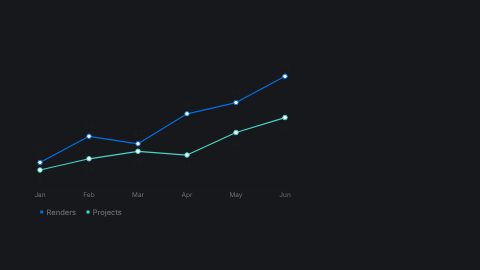
Both editors take plain words and turn them into timeline edits, so you're never stuck with a black box. In UGCLive Editor each answer lists what changed and highlights it, and if you don't like it, one click undoes the whole request, auto-run buttons included.
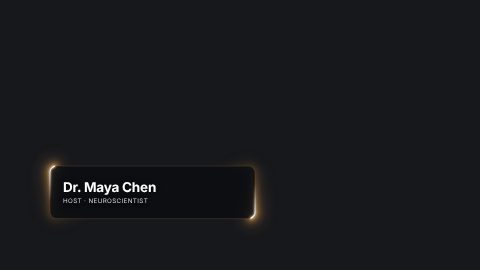
- Added a lower third at 0:03 (Sam Rivera, Founder, Tempo)
- Matched the accent to the captions
Where UGCLive Editor goes further: whole videos from a script
ChatCut's home page centres on editing footage you have. UGCLive Editor also starts from nothing: paste a script and our AI plans the scenes, voices them in one of 130 voices, draws a picture for each and times the captions. The result opens in the same editor.
The graphics library
The Graphics panel lists our 19 parametric blocks and 137 blocks from HyperFrames' open-source registry in one search. A graphic keeps its settings in the project, so you can select it later, change its words or template, and render it again in place.

Export and hand-off
If your edit finishes in another app, ChatCut's XML export is the clear advantage. UGCLive Editor renders finished 1080p MP4s, which you download or put on the calendar.
| ChatCut | UGCLive Editor | |
|---|---|---|
| XML to pro editors | Yes | No |
| Finished MP4 | Yes | Yes, 1080p |
| Calendar | Not described | Yes |
Read on chatcut.io on 2026-10-29.
Questions
Is ChatCut free?
ChatCut lists a free plan at $0 with 60 minutes of web export in total, and paid plans at $21, $38 and $141 a month billed yearly, per its site on 2026-10-29.
What does UGCLive Editor do that ChatCut doesn't?
It makes whole videos from a script (narration, pictures, graphics, captions), has a 156-template motion graphics library you edit as words, and a calendar to schedule posts.
What does ChatCut do that UGCLive Editor doesn't?
Desktop apps for Mac and Windows, a free plan, XML export to Resolve, Premiere, Final Cut and CapCut, and plugins for agents like ChatGPT and Claude Code.
Can I edit by hand in both?
Yes. Both put edits on a timeline you can move, trim and split yourself.
Keep reading
- Chat editingType the edit in plain words: cut the pauses, add captions, swap the music, add a lower third. Our AI makes it on a real timeline, with one Undo.
- AI video editors comparedEight AI video editors side by side: what each one is best at, who it suits and what its own pricing page says, checked October 29, 2026.
- Descript vs CapCutDescript edits video by editing its transcript; CapCut is a timeline editor with templates and effects. Prices, AI tools and who each suits, read 2026-10-29.
- Templates156 motion graphics templates: lower thirds, kinetic titles, charts, maps, transitions, outros, code and carousels. Type your words and render them in.
- Synthesia vs UGCLive EditorSynthesia makes avatar presenter videos for training and business. UGCLive Editor makes faceless narrated videos with a picture for every line. Which fits?
Updated 29 October 2026
Make your next video
Upload a video or paste a script, then say the edit. Our AI makes it on a timeline you can still change.
Try for free