- Editor
- Comparisons
- A Clipchamp alternative that edits when you ask
Comparison
A Clipchamp alternative that edits when you ask
Clipchamp is Microsoft's timeline editor, free in the browser. Here is where it's the better pick, and where a script or a chat message gets you further.
Stay on Clipchamp if you want a free editor and are happy to place every clip, title and caption yourself. Pick UGCLive Editor if you'd rather paste a script and get a narrated, illustrated, captioned video back, or type the edit you want and see it land on the timeline.

- 1Chat edits
- 2Timeline
- 3Graphics library
- 4Captions
Side by side
Facts read on Clipchamp's own pages on 2026-10-29. Plans and prices change; check them before you buy.
| Clipchamp | UGCLive Editor | |
|---|---|---|
| What it is | A browser video editor from Microsoft, with a separate Windows app | A browser editor with an AI chat that makes the edits, plus script to video |
| Price to start | Free plan; Premium comes with Microsoft 365 Personal and Family | Paid plans only: Pro $20, Studio $50, Max $100 a month (yearly 30% off) |
| Export | Up to 1080p free, up to 4K on Premium, no watermark on either per its pricing page | 1080p: 1080×1920 for Shorts, TikTok and Reels or 1920×1080 for YouTube |
| From a script | You write the script, then build the video clip by clip | Paste it and our AI makes the narration, a picture for every sentence and the captions |
| Editing | By hand on the timeline: trim, crop, resize, rotate, animated titles | By chat or by hand: each request lands as normal edits, with one Undo for the whole request |
| AI tools | AI subtitles, voiceovers and silence removal, per its FAQ | Cuts, pauses and fillers, captions, hooks, B-roll and AI shots, voices, translate and dub, motion graphics |
| Voices | Text to speech voiceovers (the pricing page doesn't list how many) | 130 voices for narration, in several languages |
| Motion graphics | Animated text and titles | 19 of our graphic blocks plus 137 from HyperFrames' library: lower thirds, charts, maps, outros |
| Stock | Free stock video, images, music and sound effects; premium stock on Premium | No stock library: every picture in a script video is one our AI draws for that line |
| Recording | Screen, camera and voice recording in the editor | Record from Home, or upload your own narration for a script video |
| Posting | Export the file and post it yourself | Download, or schedule it on the calendar to accounts you've connected |
Stay with Clipchamp, or switch?
Stay with Clipchamp if
- You want a free editor: Clipchamp's free plan exports at 1080p without a watermark, and UGCLive Editor has no free plan.
- You already pay for Microsoft 365 Personal or Family, which includes Clipchamp Premium and 4K export.
- You need a stock library of footage and music to cut together.
- You like placing every cut yourself and don't want an AI making the first pass.
Switch to UGCLive Editor if
- You run a faceless channel and want a script to become the whole video, voice and pictures included.
- You'd rather type "cut the pauses and add captions" than scrub through the timeline.
- You want lower thirds, charts and outros you can edit as words, not as layers.
Two ways to make the same video
In Clipchamp, a one-minute explainer starts empty: you record or upload, find stock shots, cut each one to the line it goes with, add a voiceover and then the subtitles.
In UGCLive Editor you paste the script. Our AI splits it into scenes about every four or five seconds, voices each one, draws a picture for it and times the captions to the words. You open the result and change whatever you want.
- 1
Lightning is five times hotter than the surface of the sun.
A bolt over a dark plain, close on the strikeBig word: 5× - 2
It heats the air so fast that the air explodes outward.
Air rippling around the channel of light - 3
That explosion is the thunder you hear.
Storm clouds over a town at nightCaption: word by word
Editing by asking
Clipchamp's AI tools are buttons: subtitles, a voiceover, silence removal. You run each one, then fix the rest by hand.
Our chat takes the whole request at once. It lists what it changed, highlights those edits on the timeline, and one Undo takes the request back if you don't like it.
- Removed 9 pauses (14.2 s)
- Added captions to 41 lines
- Added a lower third at 0:02
What finished videos look like
These were all made from a pasted script: narration, pictures, motion graphics and captions, with nothing placed by hand.
Graphics you edit as words
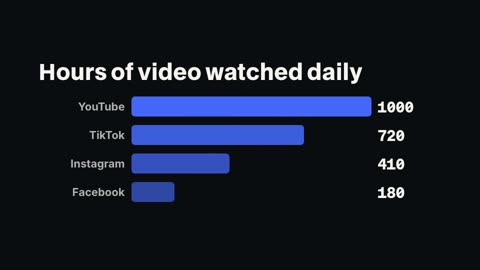
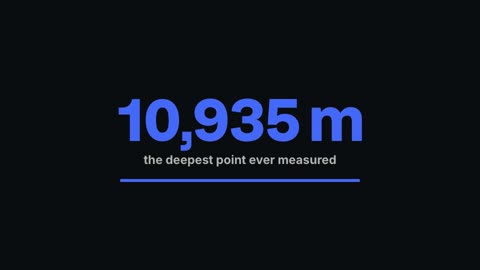
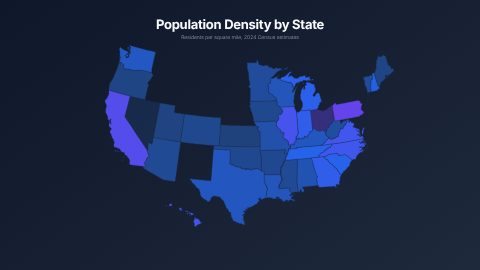
Clipchamp's titles are text layers you animate yourself. Our Graphics panel holds full compositions: you type the name and role for a lower third, or the label and number for each bar of a chart, and the panel renders it at your video's size.


Which costs what
Clipchamp's free plan is the cheapest way to edit a video in a browser, full stop. UGCLive Editor starts at $20 a month because every plan includes our AI making narration, pictures and edits, which a free editor doesn't do for you.
| Clipchamp | UGCLive Editor | |
|---|---|---|
| Free | Yes, 1080p, no watermark | No |
| Paid | Premium, through Microsoft 365 | $20, $50 or $100 a month |
| Top export | 4K (Premium) | 1080p |
Read on clipchamp.com on 2026-10-29.
Questions
Is Clipchamp free?
Clipchamp has a free plan that exports up to 1080p without a watermark, per its pricing page on 2026-10-29. Premium, with 4K export and premium stock, comes with Microsoft 365 Personal and Family.
Is UGCLive Editor free?
No. Every plan is paid: Pro is $20 a month, Studio $50 and Max $100, with 30% off yearly. You can look around the editor and the examples before you pick one.
Can UGCLive Editor make a video from a script like Clipchamp?
Clipchamp doesn't make a video from a script; you build it. UGCLive Editor does: paste the script and our AI makes the narration, a picture for each sentence, motion graphics and word-timed captions, up to 15 minutes long.
Can I still edit by hand?
Yes. Everything our AI does is a normal edit on the timeline, so you can trim, split, reorder and retype it. You can also skip our AI and edit the whole thing yourself.
Does UGCLive Editor export 4K?
No, it exports 1080p: 1080×1920 for vertical video or 1920×1080 for YouTube. If you need 4K, Clipchamp Premium does that.
Keep reading
- Kapwing vs UGCLive EditorKapwing is a browser editor with AI tools you run one at a time. UGCLive Editor edits from one chat message and makes whole videos from a script.
- InVideo vs UGCLive EditorInVideo AI turns prompts into storyboards with stock footage and AI models. UGCLive Editor makes a picture for every line and keeps it on a timeline you edit.
- AI video editors comparedEight AI video editors side by side: what each one is best at, who it suits and what its own pricing page says, checked October 29, 2026.
- Chat editingType the edit in plain words: cut the pauses, add captions, swap the music, add a lower third. Our AI makes it on a real timeline, with one Undo.
- Script to videoPaste a script and our AI makes the video: a voice, a picture and motion graphics for every sentence, word-timed captions, up to 15 minutes long.
- Descript vs CapCutDescript edits video by editing its transcript; CapCut is a timeline editor with templates and effects. Prices, AI tools and who each suits, read 2026-10-29.
Updated 29 October 2026
Make your next video
Upload a video or paste a script, then say the edit. Our AI makes it on a timeline you can still change.
Try for free