- Editor
- Video editing guides
- HyperFrames, HeyGen's HTML-to-video framework
Guide
HyperFrames, HeyGen's HTML-to-video framework
Video written as HTML, rendered frame by frame. We built our editor's graphics on it.
HyperFrames is an open-source framework from HeyGen, under the Apache 2.0 license, that turns HTML, CSS, media and seekable animations into MP4 video. You write a composition as an HTML file with timing in data attributes, animate it with GSAP or other libraries, preview it in the browser, and its renderer seeks every frame in headless Chrome and encodes the result with FFmpeg. UGCLive Editor uses it for every motion graphic and script video, so you can use its templates without writing code.


What HyperFrames is
HyperFrames describes itself with three short lines: write HTML, render video, built for agents. A video is a web page whose every element knows when it starts and how long it lasts, and whose animation can be scrubbed to any moment.
Because a page can show anything a browser can, a composition can hold type, charts, maps, 3D, video clips and audio. It's used in production at HeyGen and the code is on GitHub under heygen-com/hyperframes.
How a composition works
Each clip in the HTML gets data attributes like data-start, data-duration and data-track-index, which place it in time and on a layer. Animation is registered on the page as a paused timeline, most often GSAP, though its README also lists CSS, Lottie, Three.js, Anime.js and the Web Animations API.
There's no build step: an index.html plays directly in a browser. The CLI scaffolds a project, previews it with live reload and renders it.
| Piece | What it does |
|---|---|
| Composition | An HTML file: clips with data-start, data-duration, data-track-index |
| Timeline | A paused, seekable animation (GSAP and others) |
| Player | <hyperframes-player>, a web component for previews |
| Producer | Seeks each frame in headless Chrome, encodes with FFmpeg |
| Registry | Reusable blocks: transitions, overlays, captions, charts, maps |
From the HyperFrames README, read October 29, 2026.
Why the render matches the preview
The renderer doesn't play the page in real time and record it. It jumps the timeline to each frame, takes a picture, and hands the frames to FFmpeg, which makes the output deterministic: the same composition gives the same video every time.
That's what lets one file serve as both the preview and the final export. In UGCLive Editor the panel's preview plays in HyperFrames' player and the render runs the same page with its producer on our servers, so what you see is what you download.
The block library
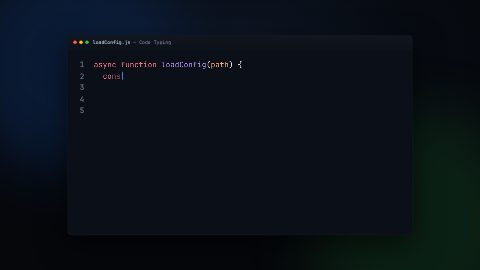
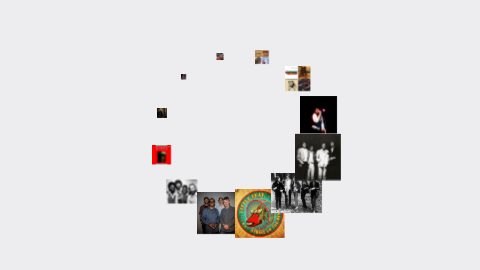
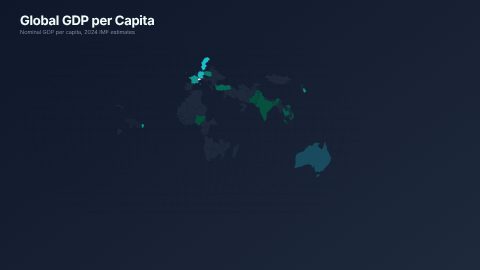
HyperFrames has a registry of reusable blocks you add to a project with its CLI, from lower thirds and title cards to bar chart races, maps, code animations, photo carousels and transitions. Each block declares the variables you can change, such as a name, a color or a number.
UGCLive Editor's Graphics panel carries 137 of those blocks next to our own 19, in one searchable list with a poster for each. We left out a few that are slow to render, that fail, or that show HeyGen's own logo.

Using HyperFrames without writing code
HyperFrames is built for developers and coding agents: its README ships skills for Claude Code, Codex, Cursor and Gemini CLI. If you'd rather not touch HTML, an editor on top of it does the writing for you.
In UGCLive Editor you pick a template, type its words and pick a look, or ask the chat: "add a bar chart of these numbers". It's rendered and placed on your timeline as a clip, a cutaway or a transparent overlay, and stays editable: change the words, the length or even the template, and it renders again in place.

- 1Chat edits
- 2Timeline
- 3Graphics library
- 4Captions
Script videos made with HyperFrames
Our script-to-video pipeline writes one HyperFrames composition per video: narration, a picture per sentence, captions timed to every word, and motion graphics for stats, lists and quotes, all on one timeline. The producer renders it to a 1080p MP4.
Every example video on this site was made that way, from 10-second Shorts to the 48-second Voyager film.
HyperFrames, Remotion and After Effects
Remotion also renders video from code, with React components. HyperFrames uses plain HTML and works with whatever animation library you already know. After Effects is a desktop motion design app, not a code framework.
Pick HyperFrames to generate video from data or by agents, Remotion if your team lives in React, and After Effects for hand-crafted, frame-by-frame design.
Where HyperFrames fits in our editor
You never see HyperFrames' code in UGCLive Editor. You see a Graphics panel with templates by kind (titles, lower thirds, charts and numbers, lists, quotes, social and outros, stingers) and the library's own categories, a preview that plays the real graphic, and fields for the words.
Behind that, each graphic is saved with its template and values, so selecting it on the timeline and choosing Edit graphic opens it again with its words. That's the difference from a baked video file: the graphic stays a graphic.
Questions
Is HyperFrames free?
Yes. It's open source under the Apache 2.0 license, and its README says there are no per-render fees or commercial-use thresholds.
Who makes HyperFrames?
HeyGen, which makes AI video tools. The project lives at github.com/heygen-com/hyperframes.
What do I need to render HyperFrames locally?
Node.js 22 or newer and FFmpeg, according to its README. It renders on your machine, in Docker, or on AWS Lambda for distributed renders.
Can I use HyperFrames templates without coding?
Yes, through an editor built on it. UGCLive Editor's Graphics panel lists HyperFrames' blocks next to ours; you type the words and it renders the graphic onto your timeline.
Is UGCLive Editor made by HeyGen?
No. UGCLive Editor uses HyperFrames' open-source player, renderer and block library, credited in our attribution notes.
Keep reading
- Text animationsAnimated titles, kinetic words, typewriter text, handwritten titles and chapter cards. Type your words and render them into your video.
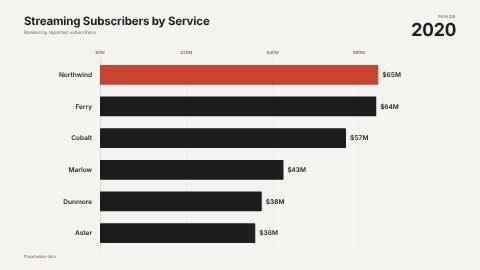
- Charts and countersNumber counters that count up, bar chart races, line graphs, progress rings and comparisons. Type the numbers and drop the chart into your video.
- Lower thirds15 animated lower third templates for interviews, podcasts and explainers. Type the name and role, pick your colour, and render it over your video.
- Script to videoPaste a script and our AI makes the video: a voice, a picture and motion graphics for every sentence, word-timed captions, up to 15 minutes long.
- Lower thirds explainedA lower third is the name-and-title graphic in the bottom part of the frame. What it's for, the styles, timing rules and how to add one in seconds.
- YouTube end screensYouTube end screen rules (5 to 20 seconds, up to four elements, 25-second minimum), how to add one in YouTube Studio, and how to design the outro behind it.
Updated 29 October 2026
Make your next video
Upload a video or paste a script, then say the edit. Our AI makes it on a timeline you can still change.
Try for free